


Table of Contents
Most WooCommerce to Shopify guides read the same way. Back up your store. Export a CSV. Set up redirects. Launch. Somewhere near the end there's a vague line about "preserving your SEO" and a call to action to book a call. None of that is wrong exactly, but it skips the parts that actually decide whether the migration goes well: what it costs when you're not a $5m brand with an in-house dev team, what happens to the plugins holding your store together, and the handful of WordPress-specific quirks that catch WooCommerce merchants out in ways a Shopify-native or Magento merchant never has to think about.
I've sat in on enough of these migrations to know the technical steps are rarely where they go wrong. They go wrong because nobody decided in advance what happens to the 40 WordPress blog posts nobody's looked at since 2022, or because the customer service inbox filled up with password reset complaints nobody had warned anyone about. This guide covers the parts that actually cause problems, alongside the checklist you'd expect.
If you're coming from Magento rather than WooCommerce, the database structure and the cost drivers are different enough that it's worth reading our Magento to Shopify migration guide instead. This one is written specifically for stores built on WordPress and WooCommerce.
Why WooCommerce merchants move to Shopify
WooCommerce's pitch is that it's free. The plugin itself is. Everything around it isn't.
By the time you've added hosting that can actually handle checkout traffic, a handful of premium plugins for the things WooCommerce doesn't do natively (subscriptions, advanced shipping rules, decent product filtering), a security plugin, and either your own time or a developer's to keep it all working after every WordPress core update, "free" has quietly become a monthly line item that's easy to lose track of because it's spread across five different invoices instead of one.
The plugin count is usually the real tell. A WooCommerce store that's been live for a few years tends to accumulate plugins the way a garage accumulates things you'll definitely use one day. Most stores I've looked at are running somewhere between 15 and 30 active plugins, and each one is a separate thing that can break on a WordPress update, conflict with another plugin, or quietly stop being maintained by whoever built it. Shopify folds a lot of that functionality into the core platform and a much smaller, better-vetted app ecosystem, which is the main reason "less time managing the store, more time running the business" comes up so often as a reason to switch.
When staying on WooCommerce is still the right call
This won't be in most migration guides, for an obvious reason: most of them are written by people who migrate stores for a living. We're not going to pretend every WooCommerce store should move.
If your actual complaint is that the site looks dated or you want one specific feature, a theme update or a targeted development sprint is almost always cheaper than a full replatform. If organic search is a significant and growing revenue channel for you right now, a migration is a real risk to that, not a free upgrade, and the business case needs to clear that bar on its own merits, not just "Shopify seems nicer." And if you're heading into your busiest trading months, the honest answer is to wait. Migrate in your quietest quarter, not the one before it.
The middle path, if you're not sure, is a proper audit of what's actually limiting your current store before you commit to moving it. Sometimes the answer really is migration. Sometimes it's fixing the hosting.
How much does a WooCommerce to Shopify migration cost?
This is the question every generic guide dances around with a vague "it depends," so here's an actual attempt at an answer, in pounds, because most of what's written on this topic quotes in dollars and expects UK merchants to do the conversion themselves.
DIY migration cost
Self-service tools like LitExtension, Cart2Cart or Matrixify charge per entity migrated (products, customers, orders), typically starting somewhere around £50 to £250 for a small catalogue and scaling with volume. You handle the mapping and QA yourself. It's a reasonable route if your store is fairly standard, someone in the business is comfortable following a technical checklist, and your catalogue doesn't lean heavily on custom fields or plugin-generated data.
Automated, tool-assisted migration cost
This sits between DIY and a full agency build: a migration provider runs and QAs the data transfer for you using their own tooling, while you or a freelancer handle the Shopify theme and store setup separately. Expect somewhere in the £300 to £1,500 range for a mid-sized catalogue, more if you're adding extras like preserved order numbering or bulk redirect generation, since these are often priced as add-ons rather than included as standard.
Full-service agency migration cost
For anything with active subscriptions, membership content, a bespoke theme to rebuild, or a genuinely large catalogue, you're into agency territory, and UK pricing for a mid-complexity WooCommerce to Shopify migration typically lands somewhere between £3,000 and £15,000, with complex builds running well beyond that. Ask for a breakdown of what's actually scoped in before you sign anything. "Migration" means very different things depending on whether content migration, redirect mapping and post-launch monitoring are included or billed separately.
What actually drives the price up
Catalogue size matters less than most people expect. What genuinely inflates a WooCommerce migration quote is the number of active plugins doing something Shopify has no direct equivalent for, whether you're running WooCommerce Subscriptions or Memberships (both of which carry live customer data that needs mapping, not just settings to reconfigure), how much WordPress blog and content archive you're carrying, and whether your product data leans on custom fields or ACF (Advanced Custom Fields) that a straight CSV export won't capture cleanly. A 300-product store with three active subscription plans can cost more to migrate properly than a 3,000-product store running nothing but the core plugin.
The WooCommerce to Shopify migration checklist
Pre-migration audit checklist
- List every active WooCommerce and WordPress plugin and check for a Shopify equivalent, flagging anything that has none
- Pull your top-performing URLs by organic traffic from Search Console before anything changes, so you know what's actually worth protecting
- Decide what happens to WordPress blog posts, tag archives and category pages that aren't your WooCommerce product catalogue, since these don't map to Shopify automatically
- Back up your full WordPress database and media library, and actually test that the backup restores before you rely on it
- Export your current product reviews separately if you want to keep them, since Shopify has no native way to pull them in during a standard migration
- Check your current VAT and tax configuration (rates, classes, any exemptions) so you can rebuild it deliberately on Shopify rather than guessing
- Pick a launch date outside your busiest trading period, with enough runway either side to fix problems calmly
Data migration checklist
- Migrate products first, including variants, images and custom fields, since customers and orders reference the catalogue
- Migrate customers second, once the product catalogue they're tied to already exists on Shopify
- Migrate order history last, checking that order status, line items and totals match a sample from the old store
- Set up 301 redirects for every indexed URL, starting with your highest-traffic and highest-backlink pages, not working through them alphabetically
- Rebuild discount codes and any active promotions manually, since these rarely transfer with the rest of the data and are easy to forget until a customer flags a broken code
Post-migration QA checklist
- Spot-check a sample of products across every category for pricing, images, descriptions and stock levels rather than trusting the import summary alone
- Fully verify your highest-revenue products specifically, variants and all, since these matter more than an average sample
- Crawl your redirects with a proper tool and confirm they're returning a 301, not a 302, rather than clicking through a handful manually
- Confirm customer accounts appear correctly and that password reset emails are actually sending, since no password data carries across
- Submit your new sitemap to Search Console and check the coverage report daily for the first fortnight
- Place several real test orders across different payment methods and devices, not just the one desktop card payment everyone remembers to test
- Check order confirmation and shipping notification emails are firing, since these get overlooked until a customer asks where theirs went
What happens to your WooCommerce plugins
This is the part that's hardest to price accurately in advance and easiest to underestimate, because a plugin doing its job quietly is invisible right up until it's gone.
The two rows worth pausing on are Subscriptions and Memberships, because both involve live customer data, not just settings. If you're running either, get the subscriber or member migration path confirmed and tested well before launch day, not discovered as a gap during it.
What happens to customer passwords
This one rarely makes it into a migration guide, and it's the single most common source of a confused support inbox in the first week after launch.
WordPress stores customer passwords in a format that has no Shopify equivalent. It's not a setting anyone forgot to configure. There's no export, no conversion tool, no clever workaround. Every customer account migrates with its profile and order history intact, but the password itself simply doesn't come across, on any platform, from any migration tool.
What that means in practice is customers need to reset their password the first time they log in after launch, or you use Shopify's passwordless login option instead, which sidesteps the problem entirely by sending a one-time login link rather than asking for a password at all. Either way, plan the communication for this before launch, not as damage control after your inbox fills up with "why doesn't my password work" emails. A short, plain email sent the week of launch, explaining that you've moved platforms and here's the two-minute reset process, does more good than most people expect from something so simple.
VAT, tax and your customer data during migration
Rebuilding your VAT and tax setup properly
Don't copy your WooCommerce tax settings across and assume the job's done, because the two platforms handle this differently enough that a straight copy tends to introduce small, easy-to-miss errors.
WooCommerce's native tax settings, or a plugin like WooCommerce Tax if you're using one, will have your standard, reduced and zero rates configured against specific product categories. Shopify's tax engine calculates UK VAT automatically once it's set up, but "set up" means confirming your VAT registration details are entered correctly and checking that anything zero-rated or reduced-rate in your WooCommerce catalogue (children's items, certain food products, and so on) is flagged the same way on Shopify, not left on the default standard rate because nobody double-checked during the rush to launch. If you sell digital products into the EU, your VAT treatment there is a separate configuration entirely, worth setting up fresh rather than assuming it carried over with everything else.
GDPR and the customer data you're moving
Whoever runs your migration, whether that's an agency, an in-house team or a self-service tool, is processing your customers' personal data on your behalf during the transfer, which means the usual data protection questions apply: what happens to that data once the migration's done, and how long is it retained.
One thing worth knowing if you're not already aware of it: WordPress, and by extension WooCommerce, ships with built-in tools for exporting and erasing a customer's personal data on request, added specifically for GDPR compliance. If you've been relying on those tools, check what the equivalent process looks like on Shopify before you migrate, so you're not caught out the first time a customer asks you to action a data request on the new platform.
Deciding what happens to your WordPress content
If your WooCommerce store has years of WordPress blog posts, category archives or tag pages sitting alongside the product catalogue, none of that maps automatically to Shopify's collection structure, and leaving it without a redirect plan is one of the more common mistakes in this specific type of migration. We've written about the mechanics of this, the URL structure differences, what to do with WordPress tag archives, and why abandoned WooCommerce content pages are a bigger SEO risk than most guides admit, in our broader ecommerce platform migration SEO guide, which is worth reading alongside this one if content preservation matters to you.
What actually happens to your product reviews
WooCommerce product reviews aren't a separate system sitting behind the scenes. They're WordPress comments, attached to the product post type, which is a neat bit of engineering but means they don't travel with a standard product export the way price or stock level does.
If review content matters to you, whether that's for social proof, for the aggregate star rating showing up in search results, or both, export it separately before you migrate and plan how you'll bring it into whichever Shopify review app you land on (Judge.me and Loox are the two most commonly used). Skipping this step is easy to do, because the migration tool will report a clean, successful product import regardless, and you won't notice reviews are missing until a customer asks where they went or your product pages lose their star rating in search results.
Protecting your SEO during the move
The full mechanics of this, redirect mapping, what happens to internal link equity during a rebuild, and why structured data rarely survives a platform change cleanly, are covered properly in our ecommerce platform migration SEO guide, so I won't repeat all of it here. The WooCommerce-specific point worth flagging on its own is the URL structure change: WooCommerce products typically live at /product/product-name/ and categories at /product-category/category-name/, while Shopify uses /products/product-name and /collections/collection-name. Every one of those paths changes, even when the actual product name in the URL stays identical, which means every single one needs a redirect, not just the ones that look important.
Ice Barrel's move from WooCommerce to Shopify is a decent real-world example of what a well-managed migration can do beyond the platform switch itself. Alongside faster load times, the brand reported conversion rates more than doubling after launch, though as with any single case study, that reflects the whole project (design, speed, checkout) rather than the migration alone.
What a normal post-migration dip looks like
A small drop in organic traffic in the first week or two after launch is normal and not, by itself, something to panic about. Google needs time to recrawl and reindex a site that's changed its entire URL structure overnight. A dip in the region of 5 to 10% that's recovering by week three is within the range of what a well-managed migration looks like. A drop that's still sitting at 20% or more after a fortnight, with no sign of recovery, usually means there's a gap in the redirect map or a canonical tag issue, and it's worth investigating properly rather than waiting to see if it fixes itself.
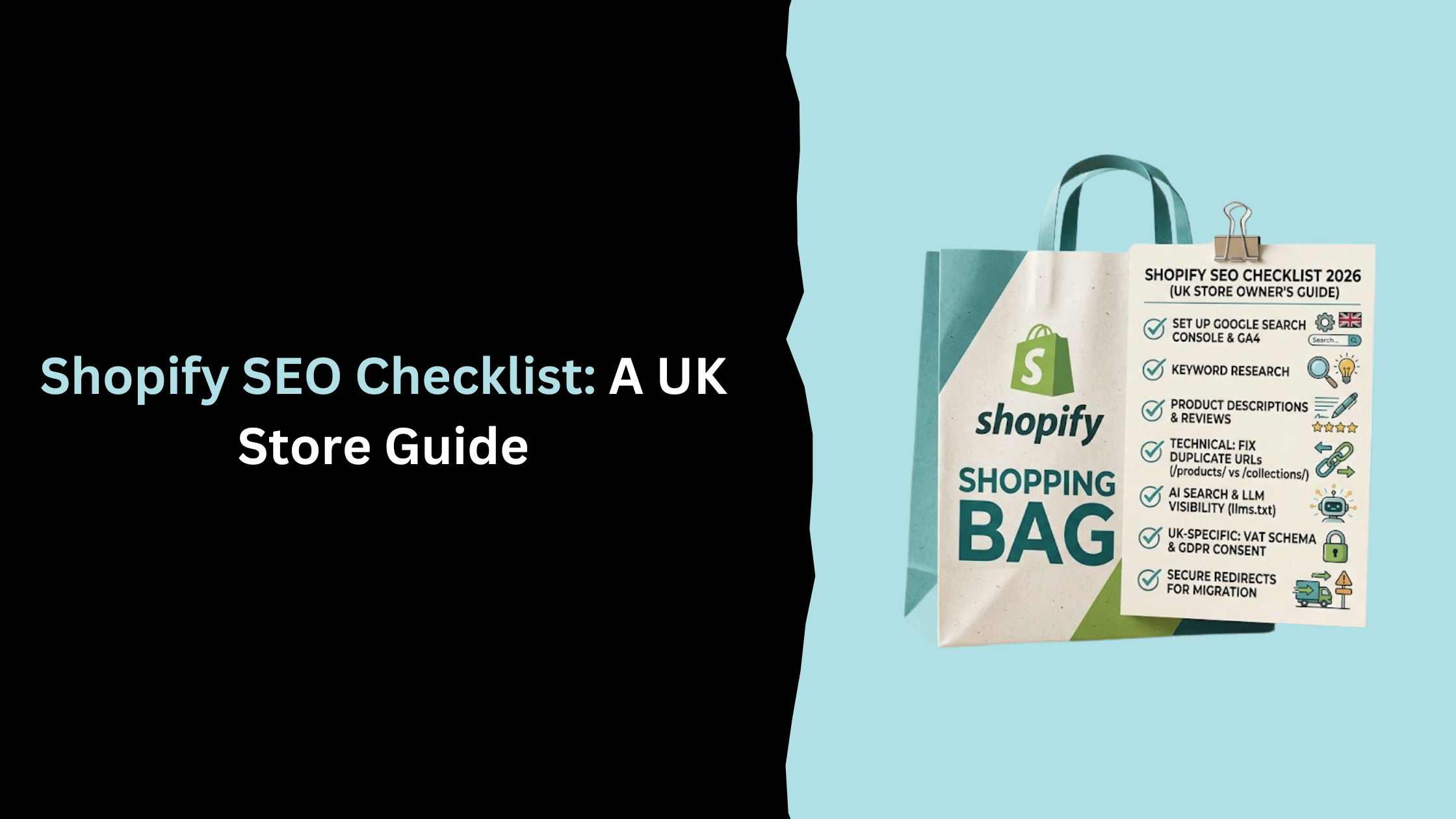
If you'd rather have someone else own that redirect map and the two weeks of watching Search Console that follow, that's exactly the kind of work our Shopify SEO services handle. And once you're live, our Shopify SEO checklist covers what to fix next, including a duplicate URL issue that catches nearly every new Shopify store and rarely gets mentioned anywhere else.
Frequently Asked Questions
How long does a WooCommerce to Shopify migration take?
A straightforward migration, standard catalogue, no active subscriptions or memberships, typically takes two to six weeks including data transfer, theme setup and testing. Add active subscription or membership plugins, a large content archive, or custom fields that need manual mapping, and that stretches to two to three months.
Can I migrate customer passwords from WooCommerce to Shopify?
No. WordPress stores passwords in a format Shopify doesn't use, so they never carry across regardless of which migration tool or agency you use. Customers reset their password on first login, or you can offer Shopify's passwordless login instead. Plan the customer email for this before launch.
Will I lose my WooCommerce product reviews?
Not automatically kept, but not unrecoverable either. WooCommerce reviews are stored as WordPress comments and don't transfer with a standard product migration. Export them separately before you migrate and reimport them through a Shopify review app if you want to keep them.
Do I need a developer for a WooCommerce to Shopify migration?
Not necessarily, if your catalogue is standard and you're using a self-service migration tool. You'll almost certainly want one, or an agency, if you're running active subscriptions or memberships, heavy use of custom fields, or a bespoke WordPress theme with functionality that needs rebuilding rather than replacing with an off-the-shelf app.
Will my WooCommerce store stay live during the migration?
Yes, in almost every case. Migration tools read from your existing WooCommerce store without taking it offline, so you can keep trading right up until you point your domain at the new Shopify store.
Not sure whether your store is a good fit for this, or want a second opinion before you commit to a route? Get in touch and we'll give you an honest read on what a migration would actually involve for your catalogue.
Related Post


Get in touch today
complete the form below for an informal chat about your business

We are a small, but perfectly formed, Digital Marketing Agency based in Stoke-on-Trent, Staffordshire. We provide services that help business owners make more money online.

