


Table of Contents
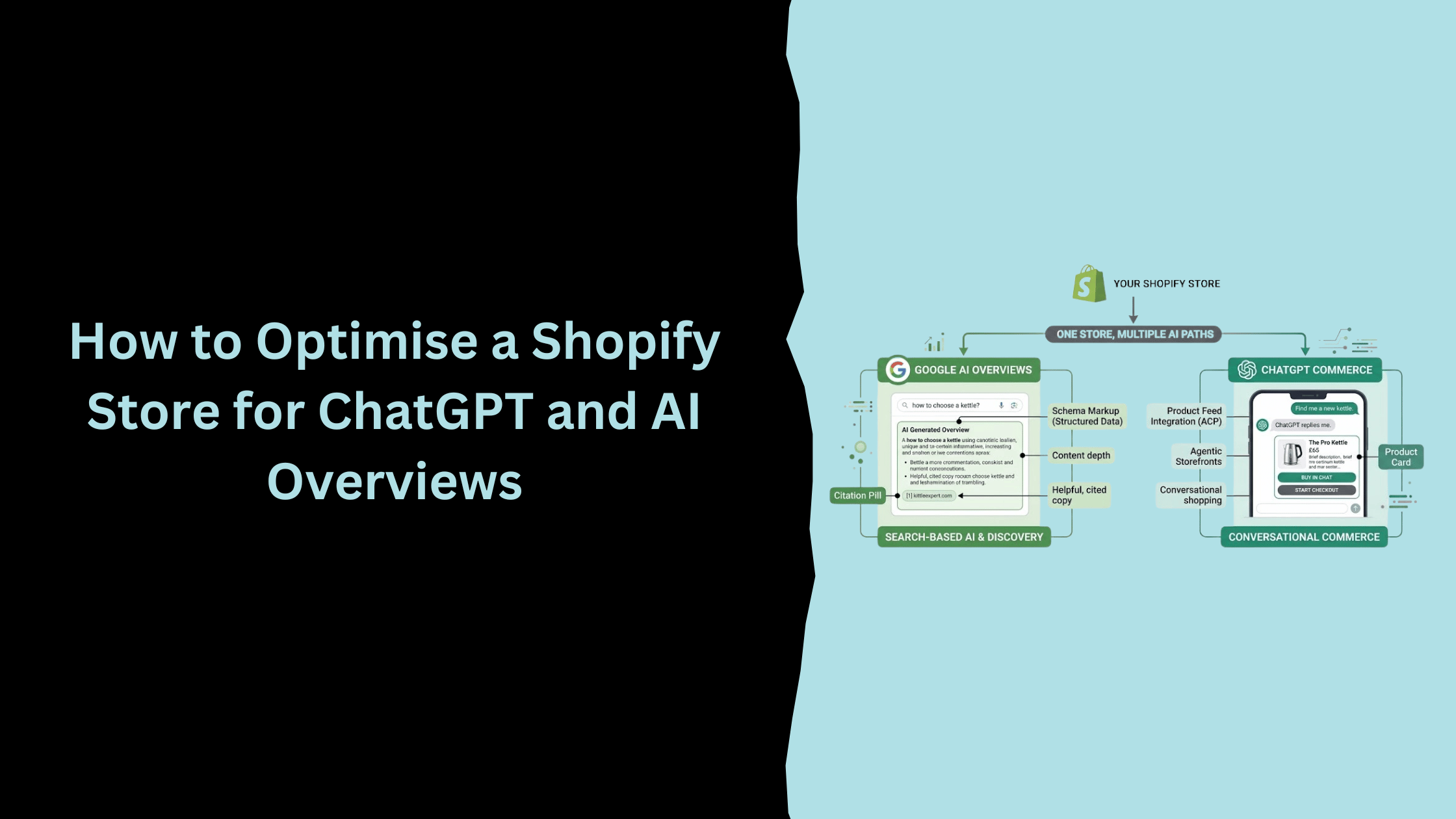
Ask ten Shopify merchants what "optimising for AI" means and you will get ten different answers. Some think it is about Google's AI Overviews. Others assume it means getting mentioned by ChatGPT. A few think those are the same thing wearing two different names.
They are not. Google AI Overviews and ChatGPT Commerce run on different systems, pull from different data, and need different work on your Shopify store. Confuse the two and you end up doing the wrong task twice: chasing schema fixes that ChatGPT Commerce never looks at, or waiting on a checkout toggle to change how you show up in a Google search.
This guide treats them as separate, because they are. It covers what actually changes on your Shopify store for each one, what's worth doing this month, and what's still too experimental to spend real time on. If you haven't worked through the technical basics yet, our Shopify SEO checklist covers that ground first. This piece assumes it and goes further. If you sell on Shopify and want your store to be findable by both a Google search and a ChatGPT conversation, this is the order to work through it in.
ChatGPT and Google AI Overviews are not the same system
We've written before that you can't rank in ChatGPT's answers the way you rank in Google. That's still true, and it still matters here. But "ChatGPT" now covers two different things for a Shopify merchant, and only one of them behaves anything like SEO.
The first is ChatGPT's conversational answers: the model reading a question, searching the web if it decides it needs to, and writing a response. You can shape the odds of being referenced there by being cited elsewhere and building genuine digital coverage, but you can't control it directly, and no amount of schema markup will get you featured on its own.
The second is ChatGPT Commerce: a structured product feed, syndicated from your Shopify catalogue, that ChatGPT can search and let a customer buy from without leaving the chat window. This is much closer to a data feed than to SEO. You switch it on, you keep the feed accurate, and Shopify handles most of the rest.
Google AI Overviews sit between the two. Like ChatGPT's answers, they generate a summary rather than a ranked list. But they are still built from Google's live index, so content and structured data still shape what gets pulled in.
This distinction is not academic. A merchant who spends a quarter rewriting product descriptions expecting it to affect their ChatGPT Commerce visibility has wasted the quarter, because that visibility depends on feed completeness, not prose. A merchant who assumes flipping on a checkout toggle in Shopify admin will improve their Google AI Overview citations has misunderstood the same problem from the other direction. They're genuinely separate pieces of work, and treating them as one task is how stores end up doing neither properly.
The rest of this guide covers both, starting with the one most Shopify merchants haven't touched yet.
Turn on ChatGPT Commerce for your Shopify store
Check whether Agentic Storefronts is already on
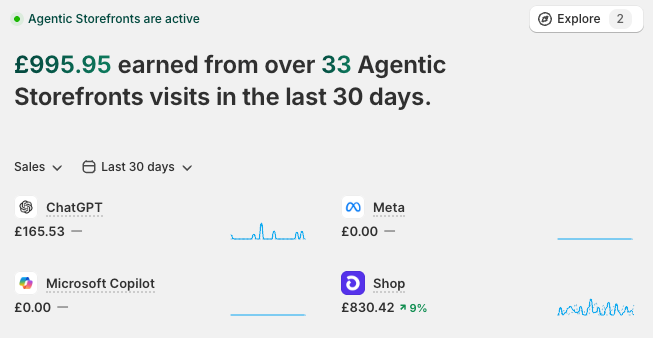
Since late March 2026, Shopify has been switching Agentic Storefronts on by default for stores on the platform as part of the Winter '26 Edition rollout. That means a lot of merchants already have it running without having made a decision about it either way.
Go to Settings, then Sales Channels, and look for Agentic Storefronts or the AI channel listings underneath it. Check which channels are toggled on rather than assuming the default suits you. We've had two Shopify clients ask us about this in the past month, both convinced a competitor had deliberately switched it on ahead of them. Most of the time nobody switched anything on. Shopify did it for them.
ACP and UCP, in plain terms
Two protocols sit underneath this, and neither is something you need to touch directly, but understanding what each does helps explain why the setup looks the way it does.
The Agentic Commerce Protocol, or ACP, was co-developed by OpenAI and Stripe. It started as the backbone of ChatGPT's Instant Checkout and has since been picked up more widely as an open standard for AI-driven purchases.
The Universal Commerce Protocol, or UCP, was co-developed by Shopify and Google and announced in January 2026. It covers a longer journey than ACP alone, from a shopper first discovering a product through to post-purchase support, and connects Shopify merchants to AI Mode in Google Search, the Gemini app, and Microsoft Copilot, in addition to ChatGPT.
In practice, you never touch either protocol. Agentic Storefronts abstracts both of them. You choose which AI channels you want to sell through, and Shopify handles the underlying protocol work.
What actually happens when someone buys through ChatGPT
It's worth knowing the shape of this, even though none of it requires you to do anything.
A shopper asks ChatGPT for a recommendation. If your product is a good match and your store has Agentic Storefronts enabled, ChatGPT can surface it directly from your Shopify Catalog feed. If the shopper decides to buy, ChatGPT triggers a checkout session through ACP rather than sending them to your website. Payment is authorised through a delegated payment token, meaning the shopper's card details pass through the protocol rather than being typed into a form on a page they never see. Shopify processes the order as the merchant of record, exactly as it would for an order placed on your own site, and the usual fulfilment and lifecycle webhooks fire as normal.
The practical upshot: your inventory, your order management and your customer records in Shopify admin don't change shape because of any of this. An order from ChatGPT looks like an order, tagged with its channel, sitting in the same admin you already use. What's different is that nobody visited your website to place it.
Decide which channels can complete checkout
Inside Sales Channels, you can typically manage discovery and checkout separately for each AI channel. That means you can let ChatGPT show your products to a shopper without letting it complete the purchase there, or allow both, depending on how comfortable you are with an AI agent handling the transaction end to end.
This is worth a deliberate decision rather than the default setting. An AI agent completing checkout on your behalf still needs your returns policy, your tax settings and your fulfilment promises to be accurate, because the shopper never sees your website to check for themselves.
Optimise your Shopify store for Google AI Overviews
The schema Google's AI actually reads
Shopify's default themes usually output basic Product schema already, covering price and availability. That's a starting point, not the finish line.
FAQ schema turns a genuine question and answer into something Google can lift directly into an AI Overview. Review schema exposes your star rating and review count as structured data rather than an image a machine can't read. Organisation schema, with your brand name, logo and social profiles, tells Google this is a real, consistent entity rather than a page with no clear owner behind it. Breadcrumb schema shows how your pages relate to each other, which matters more for AI Overviews than it ever did for traditional rankings.
A minimal, correctly formed Product schema block looks something like this, added as JSON-LD:
{

  "@context": "https://schema.org",

  "@type": "Product",

  "name": "Product name here",

  "description": "A description written for the buyer, not the crawler.",

  "brand": { "@type": "Brand", "name": "Your brand" },

  "offers": {

    "@type": "Offer",

    "priceCurrency": "GBP",

    "price": "PLACEHOLDER",

    "availability": "https://schema.org/InStock"

  }

}
Most Shopify themes generate something close to this automatically for product pages, but it's worth checking with Google's Rich Results Test rather than assuming the theme has kept up with the platform. Older themes, and stores running several review or upsell apps, are the most common places this breaks quietly, usually because one app overwrites the schema another app was already outputting.
None of this guarantees a citation. What it does is remove the guesswork, so Google's AI has one less reason to skip your page in favour of a competitor's that's easier to read.
Writing product and collection copy that gets cited
Most Shopify product pages lead with specifications: dimensions, materials, price. That tells a shopper what the thing is, but not who it's for or when to choose it over the alternative sitting one tab over.
A page that opens by explaining who a product suits, what problem it solves, and when it's the right call gives Google's AI something worth summarising. A page that opens with a spec sheet gives it very little to work with.
Take a wool jumper, as a plain example. "100% merino wool, machine washable, available in five colours" is accurate and tells Google nothing about who should buy it. "Warm enough for a UK winter without the bulk of a fleece, and machine washable so it doesn't need the dry cleaning most merino pieces demand" gives Google's AI an actual answer to summarise, because it resolves a real trade-off a shopper is weighing. The spec sheet still belongs on the page. It just shouldn't be the opening line.
The same logic applies to FAQs. A question like "will this fit in a small kitchen" answers something a real shopper is actually deciding on. A question like "what colours does this come in" is easier to write but rarely the thing holding someone back from buying. Our guide on writing FAQs an LLM can quote directly goes deeper on the process, including how to mine genuine questions from reviews and support logs rather than guessing.
Collection pages as buying guides
A collection titled "Espresso machines" tells Google that espresso machines exist in your store. It says nothing about who should buy which one.
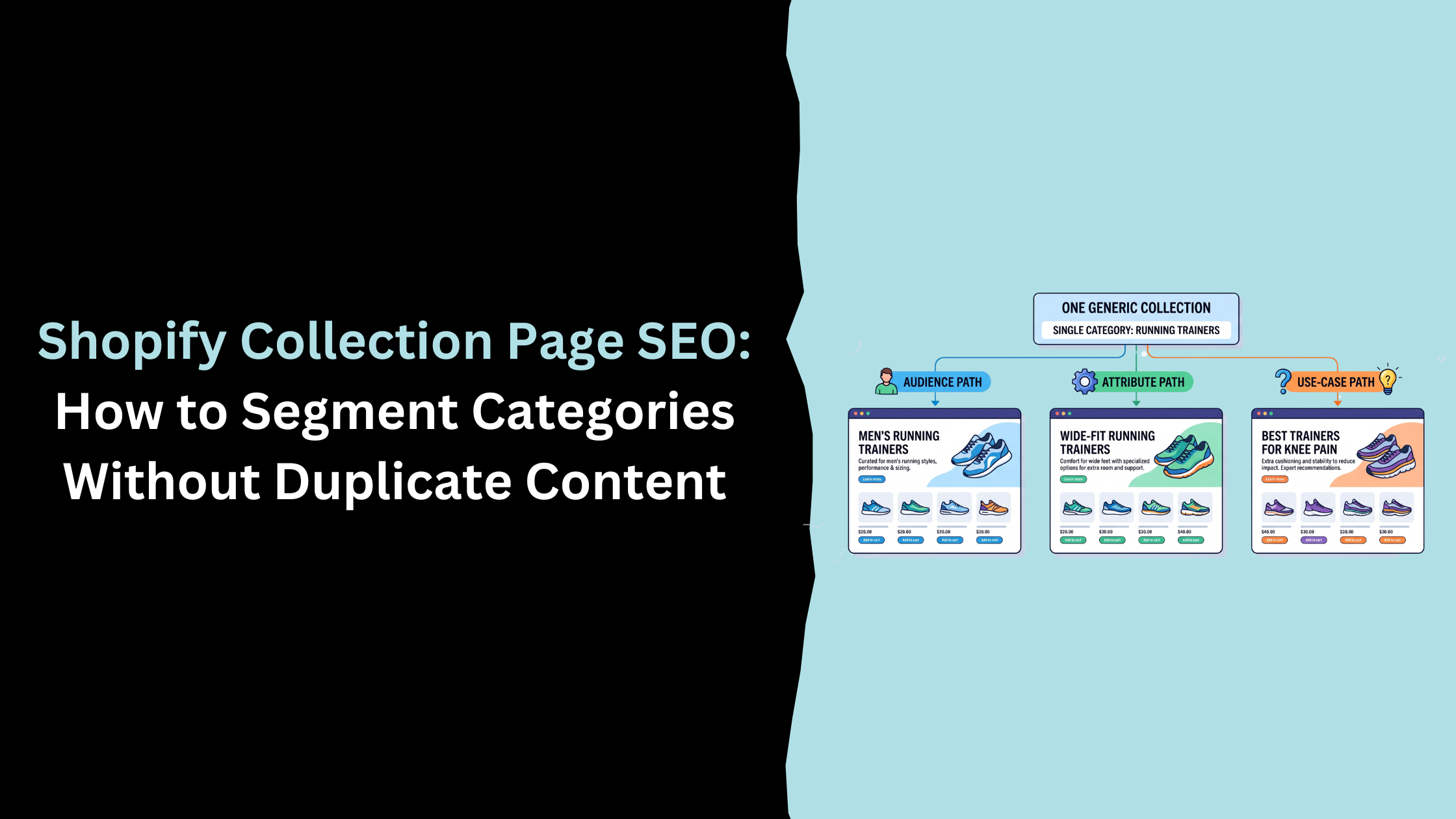
Add a short paragraph at the top of your highest-traffic collections explaining who the category suits, what to look for, and how the options differ from each other. That single paragraph, done properly, tends to do more for AI visibility than another blog post would. If a single collection is quietly covering several different shopper intents, worth reading our guide on how to segment a collection without creating duplicate content before you start splitting it apart.
Let AI crawlers into your store
The robots.txt check most stores skip
Open yourdomain.com/robots.txt and check whether any of the following are disallowed: GPTBot, OAI-SearchBot, PerplexityBot, and Google-Extended. Some Shopify apps, or a robots.txt edit made for an entirely unrelated reason, block these without anyone noticing at the time.
Shopify generates a default robots.txt automatically, but it can be overridden by editing a robots.txt.liquid template under Online Store, then Themes, then Edit code. If your store has one of these overrides in place, that's the file to check, not the platform default. It's also worth checking who added it and why. A robots.txt.liquid file added years ago to block a staging subdomain or a specific bot that was causing server load can easily still be blocking crawlers nobody was thinking about at the time.
If your best content is blocking the crawlers that would otherwise read it, everything covered above stops mattering. This is worth checking before anything else on this list, because it's the one thing that can quietly undo all the rest.
llms.txt: worth watching, not worth rushing
llms.txt is a proposed file, similar in spirit to robots.txt, meant to give AI crawlers a plain-language summary of a site's structure and key pages. It has no confirmed effect on Google AI Overviews or ChatGPT Commerce yet, and no major platform has committed to using it.
Add one if you want to be early. Don't treat it as a checklist item that will change your visibility today, because right now it won't.
UK-specific requirements most guides skip
Nearly every guide to this topic is written for a US store, with prices in dollars and no mention of VAT.
VAT-inclusive pricing, matched across every source
UK consumer law requires prices shown to consumers to include VAT. That price needs to match what's in your Product schema and what's sitting in your Merchant Center feed. A mismatch between a VAT-inclusive price on the page and an ex-VAT price in the feed is exactly the kind of inconsistency that erodes the confidence Google's AI needs before it will cite you.
UK Merchant Center feed basics
If your Merchant Center feed was set up from a generic template, check that your target country is set to United Kingdom, your currency is GBP, and your shipping and returns settings reflect your actual UK policy rather than a default that got left in place after setup. None of this is unusual. It's just easy to leave on autopilot once it's working, and Google notices when it drifts.
Trust signals a UK shopper and Google's AI both check
Organisation schema has room for a registered company number and address. If you trade as a limited company, it's worth adding there rather than leaving it to your footer alone. It costs nothing to add, and it's one more point of consistency between your site, Companies House, and your Google Business Profile, all of which feed into how much Google's systems trust what you say about yourself.
Cookie consent and a visible, accurate returns policy do similar work. Neither is a ranking factor in the traditional sense, but both are the kind of thing a careful shopper checks before buying, and Google's Helpful Content guidance has always rewarded pages that hold up under that kind of scrutiny.
If you sell into more than one market from a single store, Shopify Markets lets you run region-specific pricing, domains and content without duplicating the store itself. Worth knowing about even if you're UK-only for now, because it's the mechanism that keeps your UK-specific schema and pricing from getting overwritten if you expand later.
How to tell if it's working
Start by just asking
Before any tool, open an incognito browser and ask Google and ChatGPT the questions your customers would actually ask. Not your brand name, the underlying question: what's a good option for whatever your product solves, phrased the way someone with no idea your store exists would phrase it. Note who gets mentioned and who doesn't. Repeat every few weeks. It costs nothing, and it tells you more about where you actually stand than a dashboard will on day one.
Start with Shopify's own numbers
Since Agentic Storefronts became a default feature, Shopify has started surfacing AI channel performance directly in admin, including which queries your products are being found for and which channel an order came through. Check this before reaching for anything else. It's already included, and it's the only source with direct visibility into orders placed through Instant Checkout.
When a third-party tracker earns its place
Shopify's own reporting only covers Shopify's own channels. If you want to know whether Google AI Overviews or Perplexity mention you by name, tools such as Semrush's AI Overview tracking or Ahrefs' Brand Radar run a defined set of queries on a schedule and log who gets cited.
These are worth paying for once you have a specific list of queries you actually care about. Before that point, you're mostly paying to find out what you'd expect anyway.
Common mistakes that keep Shopify stores invisible to AI
The most common one isn't a content problem at all. It's a blocked crawler nobody's checked in months, quietly undoing every other change on this list. We check robots.txt for these four bots on almost every Shopify audit we run now, and it's still not rare to find one blocked by accident.
After that, the pattern repeats across most stores we look at: thin collection pages with no context beyond a product grid, supplier copy copied straight from the manufacturer with nothing added, and Agentic Storefronts left switched on without anyone reviewing which channels can complete checkout. None of these are hard to fix. They're just easy to overlook, because none of them show up as an obvious error in Shopify admin.
One more worth naming directly: treating llms.txt as more urgent than it is. It's a five-minute task that feels productive and changes nothing measurable today. Fix the crawler access and the schema first.
A smaller one, but it catches more stores than you'd expect: duplicate or near-duplicate product descriptions across variants of the same item. If your red and blue jumper have identical copy except for one word, Google's AI has no reason to treat either as the more trustworthy source, and neither gets the benefit of being the clearer answer.
Where to start, in order
If none of this is done yet, this is the order that gets the most benefit for the least effort:
- Check robots.txt for GPTBot, OAI-SearchBot, PerplexityBot and Google-Extended. Fix any accidental blocks first, because nothing else here works around a blocked crawler.
- Check Settings, then Sales Channels, to see whether Agentic Storefronts is already on, and decide deliberately which channels can complete checkout.
- Validate your Product, FAQ, Review and Organisation schema with Google's Rich Results Test, and fix whatever it flags.
- Fix VAT-inclusive pricing consistency between your product pages, your schema and your Merchant Center feed.
- Rewrite the introduction on your three or four highest-traffic collection pages so they read as a short buying guide, not a product grid with a heading on top.
Everything else in this guide is worth doing. This is the order that pays back fastest.
Frequently Asked Questions
Is ChatGPT Commerce the same as Google AI Overviews?
No. Google AI Overviews summarise Google search results using its own index. ChatGPT Commerce is a separate system where ChatGPT reads your Shopify product feed directly and lets a customer check out inside the chat. They run on different data and need different work on your store.
Do I need Google Merchant Center for ChatGPT to see my products?
No. ChatGPT Commerce pulls from your Shopify catalogue through Agentic Storefronts, not through Merchant Center. Merchant Center still matters for Google Shopping and AI Overviews, but it's a separate feed serving a separate system, and having one set up correctly does nothing for the other.
Can I let ChatGPT show my products without letting it complete the checkout?
Yes, in most cases. Shopify's Sales Channels settings usually let you enable product discovery on a channel while keeping checkout on your own site. Review this setting deliberately, since the right choice depends on how ready your policies and fulfilment promises are for an AI agent to rely on.
Will adding schema markup guarantee I get cited in an AI Overview?
No. Schema removes ambiguity and improves the odds that Google's AI can read and trust your page, but citation also depends on content depth and how directly your page answers the question being asked. Schema is necessary. It was never going to be sufficient on its own.
Is llms.txt worth adding to a Shopify store right now?
It doesn't hurt, but treat it as experimental. No major AI platform has confirmed it affects visibility yet. Get crawlable content and accurate product data sorted first, then add llms.txt afterwards if you want to be ahead of the curve.
Optimising for ChatGPT and Google AI Overviews at the same time means accepting that they're solving different problems: one is a feed you configure, the other is a page you write well enough to be trusted. Most Shopify stores are set up for neither yet, which is exactly why there's still room to move before that changes.
If you want a second pair of eyes on where your store actually stands, our free AI discovery audit checks crawler access, schema and AI channel configuration in one pass. If you'd like to do it yourself, you can use our free tool here.
Related Post

Get in touch today
complete the form below for an informal chat about your business

We are a small, but perfectly formed, Digital Marketing Agency based in Stoke-on-Trent, Staffordshire. We provide services that help business owners make more money online.

