


Table of Contents
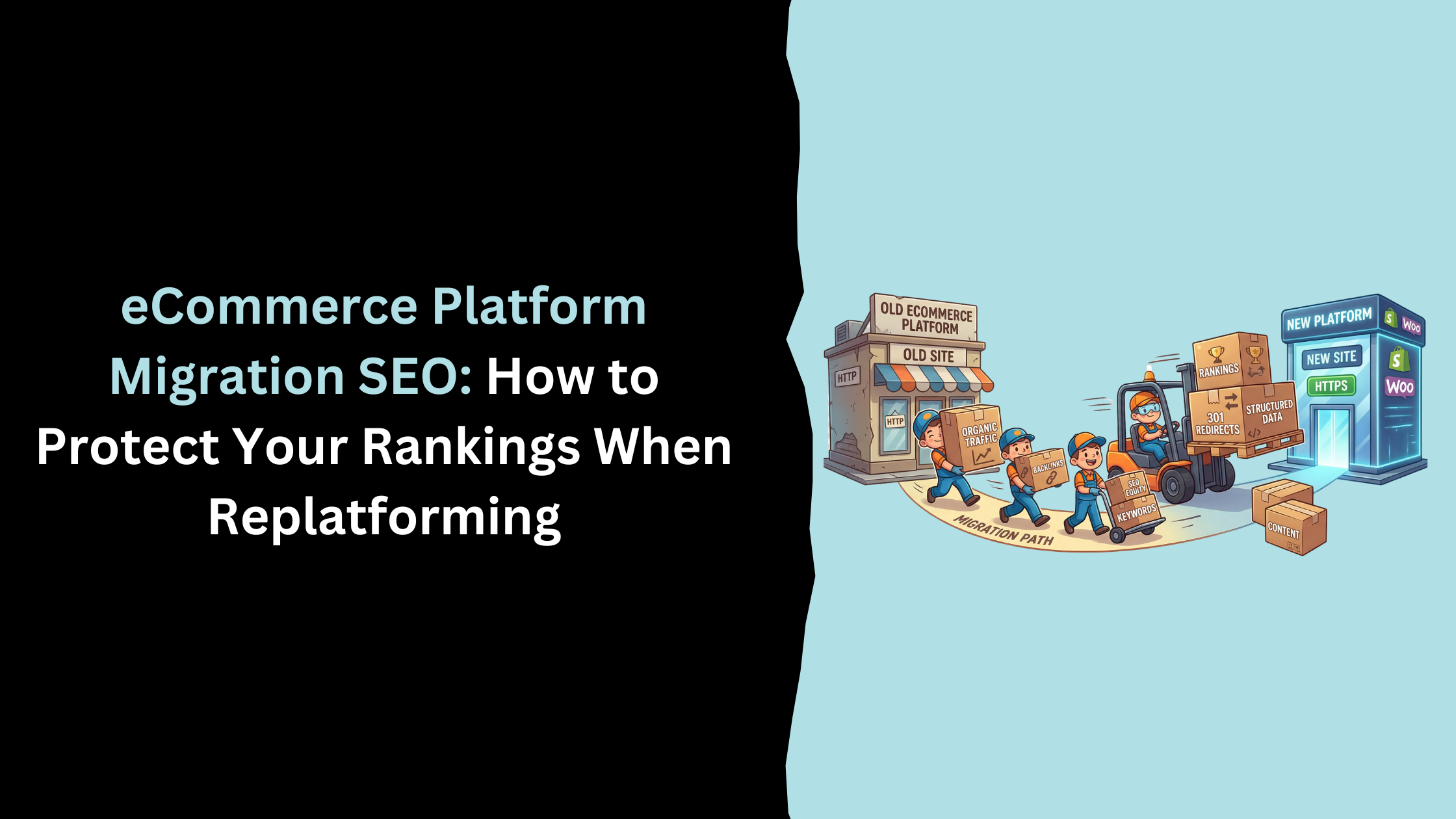
Of all the decisions an eCommerce business makes, replatforming sits near the top of the risk register. Get it right and you inherit a faster, more scalable store with a cleaner technical foundation. Get it wrong and you can watch years of accumulated organic rankings evaporate in a matter of weeks — with a recovery timeline measured in months, not days.
eCommerce platform migration SEO is the discipline of making sure that move doesn't cost you the organic traffic channel you've spent years building. It's not a checklist you hand to a developer on the day before launch. It's a structured process that starts before the build begins and runs for at least 60 days after the new site goes live.
This article is for eCommerce store owners and marketing managers who are either planning a migration, currently mid-project, or dealing with the aftermath of one that hasn't gone to plan. We'll cover what specifically causes ranking loss during a migration, which risks vary by platform, what to do before launch, how to monitor and respond after it, and when the honest answer is to not migrate at all.
Why Platform Migrations Put Organic Traffic at Risk
The core problem: search engines have to re-learn your site
Google doesn't experience your website the way a customer does. It doesn't see a brand, a product range, or a checkout flow. It sees URLs, and each URL it's indexed represents an individual record in its database — a record built up over time with signals about authority, relevance, page quality, and link equity.
When you migrate to a new eCommerce platform, most of those URLs change. The domain might stay the same, but the path structure almost certainly won't. A product that lived at /shop/mens/trainers/product-name is now at /collections/mens-trainers/products/product-name. To Google, those are two different pages. The first one has history. The second one has none.
A 301 redirect tells Google that the old URL has permanently moved to the new one and that its authority should transfer. Done correctly and comprehensively, this preserves the majority of the ranking signal. The problem is that "the majority" across thousands of URLs adds up to a meaningful cumulative loss. And in practice, migrations are almost never perfectly executed — there are always gaps, redirect chains, missed pages, and technical decisions made during the build that nobody thought to run past an SEO team.
The result is that Google has to effectively re-learn your store. It has to re-crawl the new URLs, follow the redirect chains, verify that the content is equivalent, and gradually rebuild its confidence in the new structure. That process takes time, and during that time your rankings fluctuate — sometimes dramatically.
How much traffic can a migration actually cost you?
There's a wide range, and it depends heavily on how carefully the migration is managed.
In poorly executed migrations — where the redirect map is incomplete, structured data is lost, and nobody monitors GSC closely in the weeks after launch — it's common to see 30–50% organic traffic loss that persists for three to six months. We've seen cases where stores don't recover to pre-migration levels within 12 months, because the initial damage compounded through lost backlink authority, de-indexed pages, and technical issues that weren't diagnosed quickly enough.
Well-planned migrations tell a different story. An initial 5–15% dip is normal as Google processes the new structure — even a perfect migration involves some temporary disruption because crawling and re-indexation takes time. By weeks four to six, a properly executed migration should be stabilising. By month three, performance should be back at pre-migration levels or better, because the new platform often brings genuine technical improvements — faster load times, cleaner URL structure, better crawlability — that the old one couldn't offer.
The Six Specific SEO Risks in an eCommerce Migration
Generic migration guides tell you to "be careful with SEO." That's not useful. Here are the six specific, named mechanisms by which migrations damage organic performance — and why each one happens.
1. URL structure changes without a complete redirect map
This is the single most damaging risk, and also the most preventable.
Every URL on your current store that's been indexed by Google has accumulated ranking signals over time — the age of the page, its backlink profile, its click-through history, the content Google has associated with it. When that URL changes and there's no 301 redirect pointing from the old path to the new one, all of that signal is effectively abandoned. Google continues to show the old URL in its index for a while, then gradually de-indexes it. The new URL starts from zero.
The common mistake is treating the redirect map as a task for after the build, or as something that only needs to cover "the important pages." In practice, redirect maps need to be exhaustive. Every product page, every category page, every blog post, every tag or filter page that has ever appeared in a Google index needs a redirect. For a store with a few hundred SKUs this is manageable. For a store with ten thousand product variants across dozens of categories, it's a major project in its own right.
There's a subtler version of this problem that's easy to miss: redirect chains. If /old-url redirects to /interim-url which redirects to /new-url, Google loses a small amount of equity at each hop. Redirect chains that are three or more deep are SEO dead weight. During a migration, it's easy to create these accidentally — particularly if the new platform already has its own canonical URL structure and the redirects from the old site haven't been cleaned up.
2. Internal link equity lost during the build
External 301 redirects protect the equity that flows into your site from backlinks. But what about the equity that flows within your site?
Internal linking is one of the most important mechanisms through which PageRank distributes across an eCommerce site. Category pages pass equity to product pages. The homepage passes equity to top-level categories. Breadcrumbs reinforce the hierarchy. When a developer builds a new platform, they're focused on making things work — navigation functions, checkout processes, search filters. They are almost never thinking about whether the internal link structure on the new site mirrors the equity distribution on the old one.
What typically happens:
- Navigation links are rebuilt in the new theme with hard-coded old URLs or generic new ones that weren't in the redirect map
- Breadcrumbs get simplified or removed because the new theme doesn't support them in the same way
- Blog posts and informational content that linked internally to product pages lose those links because the CMS migration didn't carry them over cleanly
- Footer links — which often pass significant equity to key category pages — change structure entirely
The fix is straightforward: crawl the staging site before it launches and compare the internal link structure against the old site. This is an SEO task, not a development task. Developers cannot be expected to know which internal links are strategically important from an equity perspective.
3. Structured data and rich results not migrated
Structured data — the JSON-LD markup that tells Google specifically what a page is about — rarely survives a platform migration cleanly. And when it disappears, the consequences are visible in search results within weeks.
Your product pages may continue to rank in the same positions, but without product schema (price, availability, review rating) the rich result is gone. Your listing in the SERP looks bare compared to competitors who have star ratings and price ranges displayed below their title. CTR drops even though the ranking holds. Organic sessions decline from the same number of impressions.
The specific structured data types at risk during an eCommerce migration are:
Product schema — Price, availability, SKU, brand, and aggregate review ratings. This feeds both Google Shopping integration and rich results. It's often implemented via platform-specific apps or theme code that doesn't survive a rebuild.
Breadcrumb schema — Helps Google understand your site hierarchy and displays the category path in search results instead of just the URL. Frequently lost when themes change.
Review schema — If you're aggregating product reviews on pages and marking them up, this needs to be re-implemented on the new platform. Review schema from third-party apps (Yotpo, Trustpilot, Okendo) needs reconfiguring on the new platform's integration.
Organisation and sitelinks schema — Less critical for product pages but worth checking on the homepage and contact pages.
There's an upside here that most migration guides miss: a platform migration is the best possible moment to upgrade your structured data implementation. If the old platform had partial or inconsistent schema, rebuilding on a new platform gives you a clean slate. And now, structured data isn't just about rich results — it's about AI search eligibility. Google AI Overviews and other AI-led discovery tools surface products and services from pages with clean, well-structured entity data. A migration done well is an opportunity to get this right once and have it compound.
4. Crawl budget disruption on large catalogues
Crawl budget is the number of pages Googlebot will crawl on your site within a given time window. For small stores this is rarely a concern — Google crawls everything fairly quickly. For stores with thousands of SKUs across multiple categories, it becomes a significant factor.
A platform migration disrupts crawl budget in several ways simultaneously.
First, Google encounters the new URL structure and has to start its crawl pattern from scratch. The crawl priority it had built up for your most important pages — the categories and products that were crawled frequently because they had strong signals — resets. In the weeks after launch, Google is essentially exploring an unfamiliar site, which means important pages may not be re-crawled and re-indexed as quickly as you need them to be.
Second, redirects consume crawl budget. Every 301 redirect Googlebot follows is a crawl request. If your store has 15,000 URLs and all of them redirect, that's 15,000 crawl requests to process the redirects before Googlebot even gets to your new pages. This slows re-indexation.
Third — and this is where migrations often make things worse rather than better — if the new platform creates additional low-value URLs that weren't properly handled, the crawl budget problem compounds. Search filters that generate parameter-based URLs, pagination that isn't configured correctly, and duplicate product variants that are indexed separately all eat into the crawl budget that should be going to your high-value pages.
For large catalogues, crawl budget management should be an explicit work item in the migration project plan: check robots.txt configuration on the new platform, confirm XML sitemap structure, and ensure that low-value pages (filters, pagination, out-of-stock variants) are handled with canonical tags or noindex directives before launch day.
5. GA4 eCommerce tracking breaking at launch
This one isn't a direct ranking risk — but it might be the most damaging of the six in practice, because it makes every other risk invisible.
GA4 eCommerce tracking is how you measure the revenue contribution of organic search. It tells you which landing pages are generating sales, which category pages convert, and what the organic channel is actually worth to the business as distinct from paid. When it breaks at launch — which happens more often than anyone in development would care to admit — you lose the ability to evaluate whether the migration has hurt you.
You see traffic numbers. You see ranking positions. But you can't see whether the traffic is converting. You can't tell if the organic sessions that are arriving are buying. You can't attribute revenue to the channel. And without that, you're flying blind when it comes to deciding whether post-migration fluctuations are a problem worth acting on.
GA4 eCommerce tracking breaks during migrations for several common reasons:
- The new platform's checkout has a different dataLayer structure from the old one, so purchase events stop firing
- The Google Tag Manager container wasn't correctly migrated to the new theme
- Consent mode configuration changes on the new platform affect what data is captured
- The new checkout (particularly Shopify's checkout, which has specific GTM limitations) requires a different implementation approach from what was set up on the old platform
The non-negotiable rule is this: test GA4 eCommerce tracking on the staging environment and confirm it's working before the migration goes live. Not after. Before. A migration that launches with broken revenue tracking is a migration you cannot properly evaluate or defend to stakeholders.
6. Index bloat from filters and faceted navigation
This risk is specific to eCommerce and largely absent from generic migration guides written by people who don't work in eCommerce SEO.
Most eCommerce stores have filtering systems. Shoppers can filter by size, colour, price range, material, brand — and each combination of filters typically generates a unique URL. On a well-configured eCommerce platform, these filter URLs are managed with canonical tags (pointing to the main category page) or noindex directives, so Google doesn't waste crawl budget indexing thousands of near-duplicate thin pages.
The problem: when you migrate to a new platform, the new platform's approach to faceted navigation is almost always different from the old one. Magento has one way of handling it. Shopify has another. WooCommerce has another. A developer building the new site will configure the filter system to work for shoppers — but unless there's SEO input, they won't necessarily configure it correctly for search engines.
The result is that the new platform starts generating and indexing thousands of filter-combination URLs that have no individual ranking value and collectively dilute your crawl budget, create duplicate content signals, and in serious cases trigger quality issues that suppress the domain's overall performance.
We've seen migrated stores go from a sensibly indexed catalogue of 3,000 pages to 47,000 indexed URLs within three months of launching on a new platform — almost entirely because faceted navigation wasn't configured with canonical tags. The organic traffic decline that followed took eight months to reverse.
The fix needs to happen before launch: audit how the new platform handles filter URLs, implement canonical tags or noindex directives on filter combinations that don't deserve individual indexation, and verify the configuration in GSC after launch.
Platform-Specific SEO Risks: What Changes on Shopify, Magento, and WooCommerce
Generic migration advice applies regardless of platform. Platform-specific advice is what actually protects you — because the specific risks of moving to Shopify are materially different from the risks of moving from Magento. If your agency or developer isn't giving you platform-specific guidance, they're working from a template.
Migrating to Shopify — what SEO issues to expect
Shopify is the most common destination platform for eCommerce migrations right now — and for good reason. It's fast, scalable, well-supported, and the app ecosystem covers most operational needs. From an SEO perspective, it's a solid platform. But it comes with constraints that are non-negotiable and that catch out a significant number of stores that migrate without proper SEO oversight.
The URL structure problem is the most significant.
Shopify enforces its URL structure. Products must live at /products/product-handle. Collections must live at /collections/collection-handle. Blogs live at /blogs/news/post-handle. You cannot change these prefixes. This is a platform architectural decision made by Shopify and it cannot be overridden, regardless of which app you install or how much you want to customise it.
Why does this matter? Because your current store almost certainly has a different URL structure. If you're on Magento, your products might be at /category/subcategory/product-name.html. On WooCommerce, they might be at /product/product-name/. On a custom build, they could be at anything. Every one of those paths needs a 301 redirect to the new Shopify URL structure. There are no exceptions.
For stores with a few hundred products this is a spreadsheet task. For stores with ten thousand SKUs across multiple categories, it's a weeks-long project that needs to be started at the beginning of the build — not handed to someone the week before launch.
Shopify's canonical tag handling is mostly automatic — but apps can break it.
Shopify automatically adds canonical tags to product pages when a product is accessible via multiple collection paths (e.g., a product that appears in both /collections/mens and /collections/sale). In most cases this works correctly. The issue is that some apps — particularly SEO apps, page builder apps, and review integration apps — add their own canonical tag logic that can conflict with Shopify's native implementation. If you have two conflicting canonical tags on a product page, search engines will make their own decision about which one to honour, and it may not be the one you want.
Post-migration, crawl the new Shopify store specifically looking for canonical tag conflicts. This is a 30-minute audit that catches a problem that could otherwise compound for months.
App performance overhead on Core Web Vitals.
One of the most common promises made during a Shopify migration is that the new store will be faster. Often it is. But Shopify's app ecosystem has a dark side: apps inject JavaScript and CSS into every page load, and many store owners accumulate apps over time — some of which they've forgotten about but haven't uninstalled. A migration that starts clean can get slower month by month as new apps are added without removing old ones.
Core Web Vitals — particularly Largest Contentful Paint and Cumulative Layout Shift — are confirmed Google ranking factors. A migration that launches fast and then gradually slows due to app bloat is a migration that will see a slow, hard-to-diagnose ranking decline over the following six months. Establish a Core Web Vitals baseline before launch and monitor it monthly.
Shopify and the checkout page tracking limitation.
Shopify restricts third-party JavaScript on checkout pages in a way that complicates GA4 eCommerce tracking. The standard GTM implementation that works on the rest of a Shopify store doesn't have full access to checkout pages on standard Shopify plans. Shopify Plus stores have more flexibility via checkout.liquid, but even then the implementation requires specific expertise.
This is why GA4 purchase event tracking frequently breaks during Shopify migrations. Make sure whoever is handling the tracking configuration knows Shopify's checkout limitations specifically.
Migrating from Magento — why it's the highest-risk move
Magento (now Adobe Commerce) migrations are the most technically complex eCommerce SEO migration scenario. The stores that run on Magento tend to be larger, older, more technically customised, and more dependent on organic search for revenue. The combination of those factors makes a Magento migration the scenario where SEO involvement is most critical — and where the consequences of getting it wrong are most severe.
The redirect map problem is larger, and harder.
Magento's URL structure is highly customisable. Over the lifespan of a Magento installation, stores accumulate URL keys, category paths, product URL rewrites, and CMS page paths that can be configured in dozens of different ways. Stores that have been live for several years often have a mixture of URL formats — some from initial build decisions, some from previous SEO work, some from product catalogue changes. Unpicking this to build a comprehensive redirect map requires exporting and auditing the Magento URL rewrite table, which can contain tens of thousands of entries.
Developers migrating from Magento to Shopify frequently underestimate this. They export the current product catalogue, map the product handles to Shopify's /products/ prefix, and call the redirect map done. What they've missed is every category page, every CMS page, every filtered URL that has ever been indexed, every blog post, and every historical URL that still has backlinks pointing to it.
Layered navigation is Magento's most dangerous SEO legacy.
Magento's layered navigation (its filter system) is powerful and flexible, which is partly why it's so popular with larger eCommerce stores. It's also one of the most common sources of index bloat in the eCommerce market.
Over several years, a Magento store with active layered navigation can accumulate tens of thousands of indexed filter-combination URLs — /category/product-type?colour=85&size=91&brand=44 style paths that create near-infinite combinations. If SEO configuration on the original Magento install was imperfect — which it often is, particularly on older installs — many of these will be indexed.
When you migrate away from Magento and don't account for these URLs in your redirect strategy, you create two problems simultaneously. First, you lose the links and signals pointing to those filter URLs (usually minimal individually, but significant in aggregate). Second, if the new platform isn't correctly configured to handle its own filter URLs, you replicate the bloat problem in a new environment.
The pre-migration step for Magento stores specifically is to crawl the existing store with a tool like Screaming Frog and segment the URL inventory by type: product pages, category pages, CMS pages, filter/facet pages, blog posts, and other. This segmentation tells you the true scale of the redirect map and flags which URL types need specific handling rather than a simple one-to-one redirect.
Magento's .html extension creates unnecessary redirect complexity.
Many Magento stores have product and category URLs that end in .html — /mens-trainers/running-shoes/product-name.html. Shopify and most modern platforms don't use file extensions in URLs. This means every redirect from the old Magento URL to the new URL involves a structural change, not just a path change. Small thing in isolation. Multiplied across thousands of products, it's a source of errors in redirect mapping that needs explicit attention.
Adobe Commerce (Magento 2) custom URL keys need manual mapping.
Adobe Commerce allows for custom URL keys at both category and product level — so a product called "Blue Running Shoe" might have been given a URL key of trail-running-shoe-blue for SEO purposes, making its live URL structurally disconnected from the product name. When building the redirect map, you cannot rely on product names or catalogue exports to infer the old URLs. You need to export directly from the Magento URL rewrite table to get the accurate live URL for every page.
WooCommerce migrations — where things typically go wrong
WooCommerce is WordPress, which means it inherits WordPress's SEO advantages: clean URL structure, native support for Yoast or RankMath, excellent XML sitemap generation, and a permalink configuration system that most SEO-aware developers are familiar with. From a pure SEO perspective, WooCommerce is often well-configured relative to what it's being migrated from or to.
The problems in WooCommerce migrations tend to be specific and tractable — not the systemic complexity of a Magento migration, but sharp edges that catch out teams who assume WooCommerce is the easy scenario.
Product and category URL structure differences between WooCommerce and Shopify.
WooCommerce products typically live at /product/product-name/ and categories at /product-category/category-name/. When moving to Shopify, these become /products/product-name and /collections/collection-name respectively. The structural difference — particularly the trailing slash convention and the category prefix change — means every single URL changes, even if the slug (the actual product name part) stays identical.
Stores that have invested in building backlinks to specific category or product pages — /product-category/womens-dresses/ for example — need those redirects to be precisely correct. A redirect that goes to the right page but with a slightly wrong path (missing the trailing slash, wrong collection handle) can create a redirect loop or a soft 404 that doesn't pass equity correctly.
WordPress category and tag archive pages need a decision.
WooCommerce stores running on WordPress often have a collection of WordPress tag archive pages, category archives, and author archives that accumulated content and possibly backlinks over time. None of these map cleanly to Shopify's collection structure. Decisions need to be made about what happens to each: does the tag archive get redirected to the most relevant Shopify collection? Does it get redirected to the homepage? Does it get a custom landing page?
Leaving these without redirects is the most common mistake in WooCommerce-to-Shopify migrations. The pages had authority. That authority needs somewhere to go.
The plugin ecosystem creates hidden technical debt.
WooCommerce stores tend to accumulate plugins the way Shopify stores accumulate apps. Many plugins modify the URL structure, add custom post types, or create their own pages in ways that aren't immediately visible in a standard site crawl. Before any WooCommerce migration, run a Screaming Frog crawl filtered to show all URL types — you'll often find plugin-generated pages that nobody was aware of and that have quietly accumulated backlinks or ranking signals.
WooCommerce migrations to Magento or Adobe Commerce are less common but higher risk.
Most WooCommerce migrations go to Shopify. Occasionally stores migrate from WooCommerce to Magento/Adobe Commerce as they scale into enterprise territory. This migration direction carries its own risks: Magento's URL structure and template system requires a build that can replicate the existing SEO-friendly setup of a well-configured WooCommerce installation — which is not guaranteed if the development agency doesn't have specific SEO expertise.
When You Probably Shouldn't Migrate
This section doesn't appear in any other migration guide we've seen. We're including it because it's the honest answer that a lot of store owners need to hear before they commit to a project.
Replatforming carries real risk. Even a well-managed migration involves temporary disruption, significant project overhead, and a period of performance uncertainty. If the business case for migration isn't genuinely compelling, the sensible answer is to stay put and optimise the current platform instead.
Consider not migrating if:
Your pain points are primarily cosmetic or feature-driven and can be addressed on your current platform. If the real problem is that the site looks dated or lacks a specific feature, a theme update, a plugin, or a targeted development sprint is almost always cheaper and lower-risk than a full migration.
Your organic channel is a significant revenue contributor and has been growing consistently. A platform that's working organically, even if imperfect in other ways, represents an asset that takes time and capital to rebuild after a migration. The opportunity cost of a three-month recovery period on a store generating £100k per month in organic revenue is £300k at minimum — before you account for the migration project cost itself.
The development team proposing the migration doesn't have documented SEO migration experience. "We'll handle the redirects" from a team that has never built a redirect map for a 10,000-SKU store is a warning sign. The migration will likely be technically functional but SEO-deficient.
You're approaching peak trading season. We've seen stores go live with a migration in October and spend November and December recovering traffic rather than capitalising on it. The best time to migrate is during your quietest trading period, with at least 60 days of post-launch monitoring before peak season begins.
The alternative to migrating: a platform audit and optimisation roadmap.
If your current platform is genuinely holding back performance, the middle path is an SEO-led audit that identifies specifically what's limiting organic growth — and whether those limitations require a platform change or can be addressed within the current system. That audit is almost always a better first step than jumping straight to a migration project.
Pre-Migration SEO Checklist
The following seven steps represent the minimum SEO work that needs to happen before any eCommerce platform migration goes live. These aren't post-launch tasks. They're prerequisites.
Step 1 — Crawl and export your current URL inventory
Before any build work starts, crawl your live store with Screaming Frog (or an equivalent crawler like Sitebulb) and export every indexed URL. Set the crawl to include subdomains if applicable, follow nofollow links, and respect the sitemap.
The export should include: URL, HTTP status code, page title, meta description, H1, word count, canonical URL, and inlinks count. This is your master reference document for the entire migration.
Cross-reference the crawl export against Google Search Console's Coverage report to identify any URLs that are indexed but not appearing in the crawl (these can happen with dynamically generated pages or through direct URL indexation). And cross-reference against Google Analytics to identify which URLs generate organic sessions — because these are the pages where ranking loss translates directly into revenue loss.
The output of Step 1 is a URL inventory segmented by type:
- Product pages
- Category / collection pages
- Blog and informational content
- Filter / facet pages
- Pagination pages
- Utility pages (about, contact, policy pages)
- Any other custom page types
This segmentation shapes everything that follows. Product pages need one-to-one redirects. Filter pages need a strategy (most should redirect to the parent category). Pagination redirects need careful consideration. Knowing what you have before you start means you can plan properly rather than discovering problems post-launch.
Step 2 — Identify your top-performing pages by organic revenue
Not all pages are equal. A product page generating £50k per year in organic revenue needs to be treated very differently from a product page generating £200 per year. If you have to prioritise where to invest your redirect and content migration effort, revenue impact is the right axis.
Pull from GA4: segment organic traffic by landing page and sort by revenue (for eCommerce stores) or goal completions (for lead generation stores). Identify the top 10% of pages by organic revenue contribution. These are your Tier 1 pages — the ones where a ranking drop directly hits the P&L.
For each Tier 1 page, document:
- Current URL
- Target keyword(s) and ranking position
- Monthly organic sessions
- Monthly organic revenue contribution
- Current meta title and description
- On-page content and word count
This document is the basis for individual page-level quality assurance during the migration. Every Tier 1 page should be manually reviewed on staging before launch to confirm that content, metadata, structured data, and internal links are correct — not just checked by automated crawl.
Step 3 — Build and validate the full redirect map
The redirect map is a spreadsheet with two columns: old URL, new URL. Every URL from Step 1 needs a row. There are no exceptions for "low value" pages — if a URL has ever been indexed and has ever received a backlink, abandoning it without a redirect is leaving equity on the table.
Building the redirect map before the new platform is built requires knowing what the new URL structure will be. This is another reason why SEO needs to be involved before the development work starts, not after. If the development agency builds the new Shopify store and then someone builds the redirect map, the map is reactive. If SEO is involved in the URL structure decisions from the beginning, the map can be built alongside the build and validated in parallel.
Redirect map quality checks:
- No redirect chains longer than two hops (old → interim → new should be collapsed to old → new)
- No redirect loops (page A redirects to page B which redirects to page A)
- Destination URLs confirmed as live (validate with a bulk URL checker before launch)
- Filter pages mapped to relevant parent categories, not the homepage (homepage redirects for highly specific pages are a wasted signal)
The redirect map should be validated on the staging environment before it's implemented on the live site. Use Screaming Frog to bulk-check the redirect paths and confirm they're resolving correctly. This catches chain and loop issues before they go live.
Step 4 — Audit internal links on the staging environment
Once the new site is built on staging, crawl it with Screaming Frog before sign-off. The crawl should specifically check:
Internal links pointing to old URLs. Developers frequently hard-code links in navigation menus, footer blocks, breadcrumb templates, and homepage banners. If any of these point to old URLs that no longer exist on the new platform, they'll resolve via redirect — which is better than a 404, but is an avoidable source of equity dilution.
Orphaned pages. Pages that exist on the new platform but receive no internal links. On a new build, this can happen when product pages are created in the catalogue but not yet linked from any category page or navigation element. Orphaned pages are harder for Googlebot to discover and slower to re-index.
Internal link equity flow to Tier 1 pages. Specifically check that your highest-value category and product pages receive internal links from the homepage, primary navigation, and relevant content pages. If a page that was generating significant organic revenue on the old site is now receiving fewer internal links than it did before, that's a structural problem to fix before launch.
Breadcrumb implementation. Confirm breadcrumbs are present on product and category pages, are implemented correctly, and reflect the category hierarchy you intend Google to understand.
Step 5 — Validate structured data on the new platform
Before the new site goes live, test the following pages in Google's Rich Results Test and Schema Markup Validator:
- A representative product page (check Product schema: price, availability, brand, reviews)
- A representative category/collection page (check BreadcrumbList schema)
- The homepage (check Organisation schema and Sitelinks Searchbox if applicable)
- A blog post (check Article schema)
Common failures at this stage:
- Product schema present but review aggregate is missing (review app not configured on new platform)
- Price and availability not dynamically populated (static price in schema doesn't update when product price changes)
- BreadcrumbList shows old URL structure (schema hardcoded during build rather than dynamically generated)
- Schema validation errors from improperly nested types
If the old platform had partial or inconsistent structured data, the migration is the opportunity to implement it properly. In 2025–2026, clean Product schema also supports Google Merchant Centre integration and AI Overview inclusion — structured data that was "nice to have" on the old platform is increasingly "need to have" on the new one.
Step 6 — Set up and test GA4 eCommerce tracking before launch
This step is non-negotiable. Confirm the following on staging before launch:
Purchase event firing: Complete a test purchase on staging and verify in GA4's DebugView that a purchase event fires with the correct transaction ID, revenue value, and item details. If it doesn't fire, the migration launches with broken revenue tracking.
Add-to-cart and begin-checkout events: These mid-funnel events are important for understanding where in the purchase journey organic traffic is dropping off. Verify they fire correctly.
Organic traffic attribution: Confirm UTM parameter stripping isn't happening unexpectedly and that organic sessions are being attributed to the organic channel correctly in the Channel Grouping.
Platform-specific note for Shopify: Shopify's standard checkout has Google Tag Manager limitations on non-Plus plans. Purchase event tracking on standard Shopify requires using Shopify's native Google Analytics integration via the Preferences panel — not a GTM container. If your tracking setup assumes a GTM container on the checkout page and you're on standard Shopify, the purchase event will not fire correctly. This is one of the most common causes of broken GA4 eCommerce tracking post-Shopify migration.
Step 7 — Configure Google Search Console for the new platform
If the domain is staying the same but the platform is changing, the existing GSC property remains valid. On launch day:
- Submit the new XML sitemap (the sitemap path will likely have changed)
- Check the Coverage report for crawl errors within 24–48 hours of launch
- Monitor the Index Coverage report daily for the first two weeks
If the domain is changing as part of the migration (e.g., from an old brand domain to a new one, or from HTTP to HTTPS if not already done):
- Set up the new domain property in GSC before the migration goes live
- Use the GSC Change of Address tool to notify Google of the domain change (this is separate from 301 redirects and supplements them)
- Submit the new sitemap immediately on launch
- Retain the old GSC property — don't close it — because it will continue to show crawl errors and redirect status for the old URLs for several months, which is useful diagnostic information
If you're adding international targeting as part of the migration — for example, moving to a subdirectory structure for international markets (/en-gb/, /en-us/) — configure the international targeting settings in GSC at launch. Hreflang implementation should have been validated on staging as part of Step 5.
Post-Migration Monitoring: What to Watch and for How Long
The migration going live is not the end of the project. It's the beginning of a 60–90 day monitoring period during which the difference between a well-managed migration and a disaster is largely determined.
What a healthy recovery looks like
Days 1–7: Expect elevated crawl activity from Googlebot as it processes the new site structure. Impressions in GSC may fluctuate. Some rankings will move — both up and down. This is normal and not a signal that something is wrong. Monitor GSC Coverage for new crawl errors and address anything above a handful of 404s.
Weeks 2–4: Rankings should begin stabilising. Some pages will have improved from the new platform's technical performance. Some will be temporarily lower as Google re-evaluates the new URL structure. Organic traffic should be within 15% of the pre-migration baseline — if it's dropped significantly further than this, investigate rather than wait.
Month 2–3: A well-executed migration should be back at or above pre-migration organic traffic and revenue levels by the end of month three. The new platform's technical improvements — if they're genuine — should start contributing: faster Core Web Vitals, cleaner crawlability, better structured data implementation. Rankings for your Tier 1 pages should be stable or growing.
Month 3 onwards: Growth phase. With the structural foundation solid, content and authority-building activity compounds on a healthier platform. This is when you start to see the genuine benefit of the migration — not just parity with pre-migration performance, but improvement.
What a problem pattern looks like
A steady, continued decline in organic traffic beyond week four without stabilisation is the primary warning sign. The specific patterns to watch for:
Crawl errors mounting in GSC. A handful of 404 errors post-launch is normal — these are typically old URLs that weren't in the redirect map but are low-value. If you're seeing hundreds or thousands of 404 errors, particularly on pages that were driving organic traffic, the redirect map has gaps.
Tier 1 pages not re-indexed within three weeks. If your highest-value category or product pages aren't appearing in a site:yourdomain.com/collections/your-category search within 2–3 weeks of launch, there's an indexation problem. Possible causes: the sitemap wasn't submitted correctly, the page has a noindex tag applied erroneously, or there's a crawl budget issue slowing discovery.
Rich results disappearing from top product pages. Monitor your Tier 1 product pages in Google Search by typing their URLs and checking whether the rich result (star ratings, price, availability) is still displaying. If it's gone, structured data has been lost or broken during the build.
GA4 showing zero or near-zero eCommerce conversion data. If purchase events stopped firing at migration, you've lost revenue attribution. This needs to be the first fix — not because it's an SEO issue, but because without it you cannot diagnose any of the other issues.
Organic revenue declining faster than organic traffic. If traffic is down 10% but revenue from organic is down 40%, the issue is likely that the migration has caused ranking losses specifically on your highest-intent, highest-converting pages — your money terms — rather than lower-value informational traffic. This is a redirect map quality problem: the pages that converted well on the old site haven't successfully transferred their authority to the new URLs.
Trigger points for intervention
Don't wait until a problem is undeniable before acting. These are specific triggers that should prompt immediate investigation:
Do You Need an SEO Agency for a Platform Migration?
Not always. The honest answer depends on the size of your organic channel and the complexity of your catalogue.
You can probably manage migration SEO in-house if:
- Your store has fewer than 500 SKUs with a relatively simple category structure
- Organic search accounts for less than 20% of your revenue
- Your developer team is willing to follow a structured SEO checklist and has completed migrations before
- You have someone in-house who can monitor GSC and GA4 closely for the first 60 days post-launch
You should involve an SEO agency if:
- Organic search is a meaningful revenue channel — say, generating more than £10k–£15k per month
- Your store has a large or complex catalogue (1,000+ SKUs, multiple category tiers, active filtering system)
- You're migrating from Magento or another enterprise platform with significant URL complexity
- You've previously experienced traffic loss from a migration or major site change and don't want to repeat it
- The development team hasn't specifically handled eCommerce SEO migration before
The timing question is as important as the whether question. The right time to involve an SEO agency in a migration is before the development brief is finalised — not after the new site is built. Once the URL structure, category architecture, and filtering system are decided by the development team, the SEO options narrow significantly. The earlier SEO input happens, the more influence it can have on decisions that are expensive to reverse later.
To give you a sense of the cost-benefit: if your store generates £40k per month in organic revenue and a poorly managed migration causes a 30% decline for four months, that's £48k in lost revenue — before you factor in the cost of recovery work. SEO agency involvement in a migration typically costs a fraction of that, and the upside is a migration that maintains or improves performance rather than degrading it.
If you're planning a replatforming project and want to understand what SEO involvement would look like for your specific catalogue and platform, get in touch with us at SearchUp. We can review your current technical setup, give you an honest assessment of the risk level, and scope what a protected migration would require.
Frequently Asked Questions
Does replatforming always hurt SEO?
Not always, but it always carries risk. A poorly managed migration can cause 20–50% organic traffic loss that takes months to recover from. A well-planned migration — with a complete redirect map, structured data preservation, and close post-launch monitoring — can maintain performance or improve it by fixing the technical debt the old platform was carrying. The difference between these outcomes is preparation and SEO involvement before the build starts.
How long does migration SEO recovery take?
Most well-managed migrations see ranking fluctuations in the first two to four weeks, with stabilisation by week six and recovery to pre-migration levels by month two or three. Poorly managed migrations — particularly those with large redirect map gaps — can take six to eighteen months to recover, and some don't fully recover within that window. The speed of recovery depends on how quickly issues are identified post-launch and how severe the structural damage was.
What is the biggest SEO mistake in an eCommerce migration?
Skipping or rushing the redirect map. Every URL that changes without a corresponding 301 redirect loses its accumulated ranking signal — the years of crawl history, backlink authority, and relevance signals Google had built up for that page. For large catalogues, even partial gaps in the redirect map can wipe out months of category-level authority. The redirect map must be built and validated on staging before the migration goes live, not assembled in a hurry on launch day.
Can Shopify handle large eCommerce catalogues from an SEO perspective?
Yes, with caveats. Shopify is a capable SEO platform for large catalogues, but its enforced URL structure — products at /products/ and collections at /collections/ — means any migration from a platform with a different URL format requires a comprehensive redirect map with no exceptions. For catalogues above 10,000 SKUs, crawl budget management, pagination configuration, and faceted navigation handling also need explicit attention. Shopify's performance advantages (hosting infrastructure, CDN) usually offset these constraints for most stores.
What should I ask my developer about SEO before a migration starts?
Ask these five questions and judge the answers carefully: Have you built a complete redirect map covering every indexed URL, including filter pages? How will you handle faceted navigation on the new platform to prevent index bloat? How will structured data be validated on the new platform before launch? How will GA4 eCommerce tracking be tested on staging before go-live? What's your post-launch monitoring process for crawl errors in GSC? A development team that can answer all five with specificity is a team that understands the SEO dimension of the project. Vague answers or "we'll sort that out after launch" on any of these is a warning sign.
Is it safe to migrate during peak trading season?
No. Avoid migrating within 60 days of your peak trading period. Even a well-managed migration involves a period of ranking fluctuation as Google processes the new structure — and that's the absolute best case. A migration that encounters problems post-launch can take weeks to diagnose and resolve. Running that process during November and December, or during any high-revenue period, is a risk that rarely justifies itself. The best migration timing is your quietest trading quarter, with a minimum of eight weeks of post-launch stabilisation before peak season begins.
Related Post

Get in touch today
complete the form below for an informal chat about your business

We are a small, but perfectly formed, Digital Marketing Agency based in Stoke-on-Trent, Staffordshire. We provide services that help business owners make more money online.

